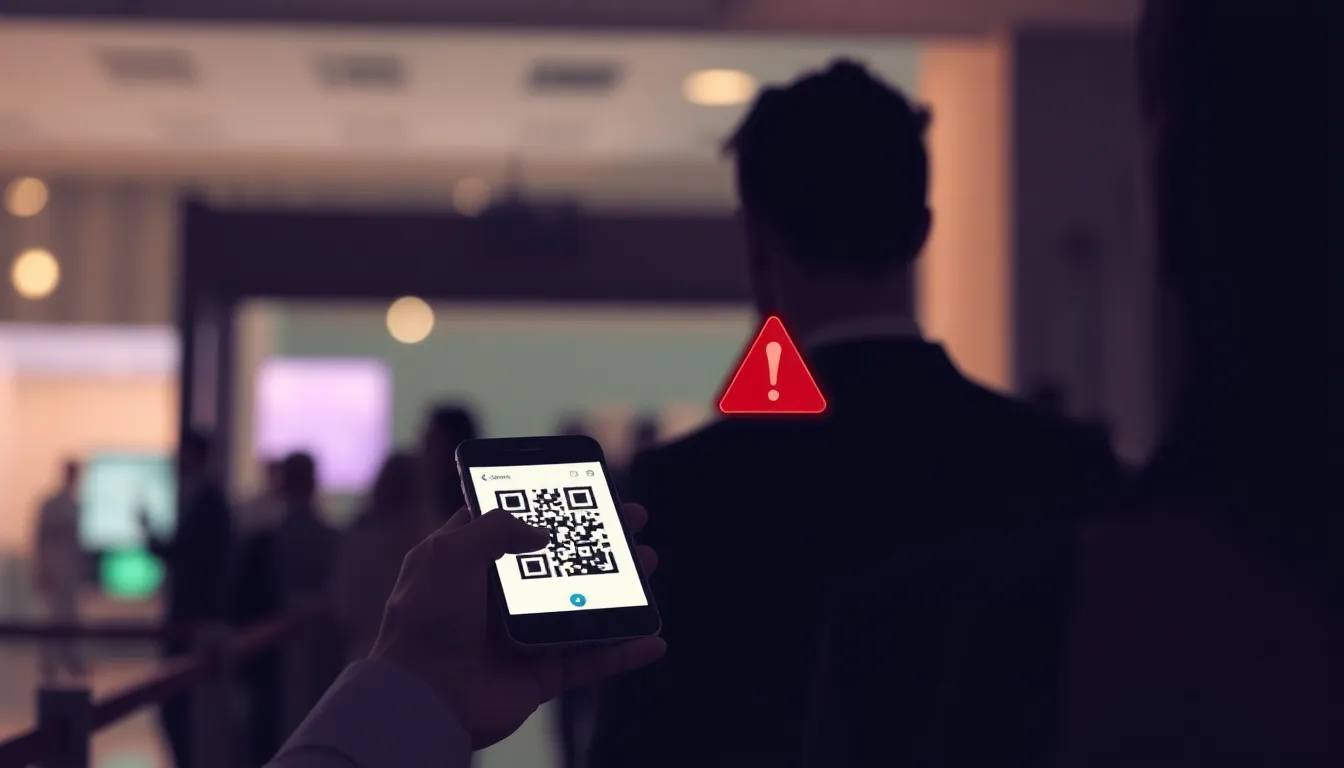
Ticketing fraud has never been more profitable or easier to execute. In 2026, travel and ticketing platforms recorded an average payment fraud rate of 4.85% of transactions, the highest among major online categories tracked in the Q1 2026 Digital Trust Index published by Sift. At the same time, a 2026 fraud index roundup reported a 7.4% fraud attack rate in ticketing and reservations, with an 85% year-over-year increase versus 2025, according to data aggregated by the Internet and Telecom Hub. These trends converge at your event entrance, where QR codes shared via screenshot, resold tickets, and unauthorized transfers can all claim valid credentials at the exact moment you need to keep a line moving.
The mechanics are simple. A fraudster purchases one legitimate ticket, forwards the QR code to a friend or buyer, and both attempt entry. One gets through before your system flags the duplicate. Meanwhile, legitimate attendees wait, staff escalate, and your team loses the visibility needed to tell a genuine transfer from a coordinated abuse attempt. The financial and reputational cost compounds when every denied entry requires an apology, a manager call, or a refund negotiation in front of hundreds of witnesses.
This guide explains how duplicate QR codes, screenshots, and unauthorized transfers operate, why generic ticketing tools leave those gaps open, and which admission workflows close the door on fraud without slowing your line or punishing honest attendees.
Why Ticket Fraud at the Door Is Growing Faster Than Online Payment Fraud
Payment fraud captures headlines because the dollar figures are enormous. Global e-commerce fraud losses reached an estimated $33.8 billion in 2025, with card-not-present fraud alone projected to hit $28.1 billion by 2026, according to Accesso citing global fraud market data. Events inherit that upstream payment risk, but they also face a downstream problem that happens after checkout clears: the fraudster who bought one ticket now has a digital asset that can be copied, shared, or resold at zero marginal cost.
A QR code displayed on a smartphone screen is identical to the same code shared via text message, screenshot, email, or social media. Most ticketing systems generate a single static code per ticket and assume the holder will keep it private. That assumption breaks as soon as an attendee realizes they can forward the code to a friend without triggering any alarm until both arrive at your door.
In the travel and hospitality sector, Ravelin's 2025 global Travel Fraud Trends report estimated that the average company loses around $11 million to fraud each year. Events are smaller in absolute terms but face the same structural vulnerability: once a transaction is approved online, the physical checkpoint becomes the only line of defense. If your admission process cannot detect a duplicate in real time, the fraud succeeds and your capacity planning, sponsor guarantees, and catering counts all fail with it.
The Three Vectors: Duplicate QRs, Screenshots, and Unauthorized Transfers
Duplicate QR Code Sharing
The simplest fraud is also the most common. An attendee purchases one ticket, shares the QR code image with a friend or sells it on a secondary market, and both present the same credential at different entry points or different times. Static QR codes make this trivial because the code itself contains no timestamp, device fingerprint, or session token. It is a fixed identifier that remains valid until your system marks it as used.
Organizers who run multiple entry gates or accept tickets over several hours face the highest risk. If two people scan the same code at gate A and gate B within seconds of each other, the second scan should trigger an immediate duplicate alert. If they scan thirty minutes apart and your admission tool does not log the first entry in real time, the second person walks in without resistance.
Screenshots and Forwarded Images
Screenshots amplify the duplicate problem by making sharing invisible to the original ticketing platform. An attendee receives a legitimate QR code by email, takes a screenshot, and sends the image via text or social media. The recipient now holds a pixel-perfect copy of the valid code, and your scanner sees no difference between the original and the duplicate.
Some platforms attempt to defeat screenshots by displaying rotating codes that refresh every few seconds. This works for high-security applications but creates friction at event entry. Attendees must open the live ticketing app, wait for the code to load, and ensure their device has connectivity. Any network delay or app crash turns your entrance into a support desk. The trade-off between security and attendee experience is real, but it is not binary. The better solution is to accept static codes and rely on real-time duplicate detection rather than forcing every attendee into a live-refresh workflow.
Unauthorized Transfers
Not every duplicate is fraudulent. Legitimate attendees transfer tickets to colleagues, friends, or last-minute replacements when their plans change. The problem arises when your system has no formal transfer workflow, so the original buyer simply forwards the QR code and both parties assume the ticket is now reassigned.
If the original holder changes their mind and shows up anyway, both codes are identical and both people expect entry. Your staff must resolve the conflict on the spot, often without access to purchase records, transfer logs, or communication history. The most common outcome is to admit the first arrival and deny the second, but that rule punishes the legitimate transferee if the original buyer arrives early and claims ignorance.
The fraud variant is intentional double-dipping: the seller transfers the ticket but keeps a copy of the code and attempts entry at a different gate or time. Secondary marketplaces and peer-to-peer resale groups amplify this risk because the buyer has no way to verify that the seller has actually relinquished access.
Why Generic Ticketing Platforms Leave the Door Open
Most ticketing platforms focus on payment processing, tax compliance, and delivery. Admission control is treated as an add-on feature, often outsourced to a third-party scanner app or left to the organizer to solve with a spreadsheet. The result is a patchwork of tools that do not share real-time data, cannot detect duplicates across gates, and offer no workflow for resolving conflicts when two people present the same code.
The typical failure pattern looks like this: tickets are sold through platform A, the organizer exports a CSV on event day, staff use scanner app B to validate codes, and duplicate detection happens only if app B logs every scan to a central database and checks that database before admitting the second holder. If app B works offline, caches validation locally, or allows staff to override a duplicate warning without logging the decision, the fraud succeeds.
Another common gap is the absence of duplicate alerts that escalate in real time. A scanner app may mark a code as used, but if the second scan simply displays a generic error message without identifying which gate, staff member, or timestamp recorded the first entry, your team cannot distinguish a legitimate transfer from coordinated fraud. The attendee insists they purchased the ticket honestly, and you have no evidence to support or refute the claim.
Attendance Growth Increases Fraud Exposure
The stakes are rising because in-person attendance is surging. In the 2025 State of Events benchmarks published by Bizzabo, 57% of B2B event organizers reported increased attendance compared with the prior year, and 66% planned to host more events in the following 12 months. In the EVENTTRACK 2026 executive summary, 56% of surveyed event attendees said they plan to attend more events than they did in 2025, with B2B and trade show attendees even more bullish at 59% and 57% respectively, and the report projecting a 50–60% increase in event attendance across all segments year-over-year published by Event Marketer.
More attendees mean more tickets sold, more entry transactions, and a proportionally larger pool of potential fraud attempts. If your fraud rate holds constant at 2% but your attendance doubles, you now process twice as many duplicate conflicts at the door. The operational impact is nonlinear because each conflict consumes staff time, delays the line, and creates a negative experience for everyone waiting behind the disputed entry.
High-profile events face additional pressure from professional resellers. Between September 2025 and August 27, 2026, Korea's content agency KOCCA received 102 formal reports of illegal ticket sales related to BTS's ARIRANG world tour, making it the single tour with the highest recorded ticket scalping complaints in the country over that 12-month period, according to data reported by The Korea Times. While most corporate conferences and trade shows do not attract organized scalping, the same techniques used to resell concert tickets apply to any event with high demand and transferable credentials.
How to Detect and Prevent Duplicate QR Codes at the Door
Real-Time Duplicate Detection Across All Gates
Every entry scanner must log every admission to a central database in real time, not at the end of a shift or when the device reconnects to Wi-Fi. When a staff member scans a QR code, the system checks whether that code has already been used, where, when, and by which staff member. If a duplicate is detected, the scanner displays an alert with enough context for the staff member to make an informed decision: admit the second holder as a legitimate transfer, escalate to a manager, or deny entry and flag the ticket for investigation.
This workflow requires connectivity. Offline scanning tools that cache validation results locally cannot detect duplicates across gates or shifts. If your venue has weak cellular coverage, provide staff with mobile hotspots or deploy a local server that all scanners can reach over a private network. The cost of connectivity is far lower than the cost of admitting fraudulent entries or handling disputes after the fact.
Duplicate Alerts with Full Context
A generic "already used" error message does not give your staff the information they need to resolve a conflict. The alert should display the first entry timestamp, gate name, and staff member who scanned the code. If your system supports it, include the name and email of the original purchaser so staff can verify identity on the spot.
When both parties are present, ask each to confirm their purchase email or order number. The person who can provide matching details is almost always the legitimate holder. If neither can verify, escalate to a manager with access to the full transaction history. If one party has already entered and the second is now blocked, your policy must decide whether to allow re-entry, issue a replacement credential, or investigate before granting access.
Controlled Transfer Workflow
The best way to prevent unauthorized transfers is to offer an authorized transfer workflow. When an attendee needs to reassign a ticket, they initiate the transfer through your platform, enter the new holder's email, and the system invalidates the original QR code and issues a new one to the recipient. The original code becomes worthless, and the new holder receives a unique credential that cannot be duplicated.
If your ticketing platform does not support formal transfers, document your transfer policy clearly and train staff to handle conflicts consistently. A common approach is to honor the first arrival and require the second claimant to verify purchase details before issuing a replacement. This policy favors speed over perfect fraud detection, but it keeps the line moving and defers investigation to after the event.
Admission Configuration That Matches Your Event Risk
Not every event needs the same level of control. A free community meetup can tolerate some duplicate entries without material harm. A sold-out conference with sponsor guarantees, catering commitments, and capacity limits cannot. Your admission workflow should match your risk profile.
Event Passport PRO lets organizers configure admission windows, gates, duplicate detection, re-entry handling, and name lookup in a single dashboard. When an attendee scans a QR code at the door, staff see an immediate duplicate alert if that code has already been used, along with the first entry timestamp and gate. The system logs every scan, supports offline fallback with full reconciliation when connectivity returns, and exports admission records for audit or dispute resolution. This approach closes the duplicate-code gap without requiring rotating QR codes, live-refresh apps, or staff override workflows that bypass validation.
What to Do When Fraud Happens Anyway
No system prevents every fraud attempt. The goal is to detect and respond quickly enough that the cost stays manageable and the attendee experience remains professional.
Immediate Response at the Gate
When a duplicate is detected, do not argue with the attendee in front of the line. Pull them aside, verify their purchase details, and escalate to a manager if needed. If the first holder has already entered and cannot be located, issue a replacement credential with a different code and flag the original ticket for investigation. The replacement ensures the legitimate attendee gains entry without delay, and the flagged ticket alerts your team if someone attempts re-entry.
Post-Event Investigation
After the event, review your duplicate logs and cross-reference them with purchase records, transfer requests, and any attendee complaints. If the same purchaser appears in multiple duplicate incidents, flag the account and consider restricting future purchases. If a ticket was resold through an unauthorized channel, document the pattern and share it with your ticketing platform to improve fraud detection upstream.
Policy Updates
Every fraud incident is a signal that your policy or technology has a gap. If unauthorized screenshots are the primary vector, add a transfer workflow so attendees do not resort to forwarding images. If duplicate entries cluster around a specific gate or time window, adjust staffing or scanner placement to improve coverage. If your platform cannot detect duplicates in real time, evaluate alternatives that treat admission as a core feature rather than an afterthought.
Secure Admission Without Sacrificing Attendee Experience
The trade-off between security and experience is often exaggerated. Attendees expect a fast, professional entry process, and they also expect the event to be safe, fairly priced, and free of obvious abuse. A well-designed admission workflow delivers both.
Real-time duplicate detection does not slow the line when it works correctly. The scan, database lookup, and validation decision happen in under a second. Alerts appear only when a duplicate is found, so the vast majority of attendees pass through without interruption. The attendees who do trigger alerts are the ones attempting fraud or caught in a transfer conflict, and both groups benefit from a clear, consistent resolution process.
Rotating QR codes and live-refresh apps add friction because they require every attendee to open a specific app, wait for a network call, and troubleshoot if the connection fails. Static codes with server-side duplicate detection avoid that friction by validating the credential rather than the delivery mechanism. The attendee can present a screenshot, a forwarded email, or the original ticket, and the system checks whether that code has already been used regardless of how it arrived on their screen.
Event Passport PRO supports this model by treating admission as a first-class workflow tied directly to registration. When an attendee registers, their ticket is linked to their account and their unique QR code is generated for entry. At the door, staff scan the code, the system checks for duplicates across all gates in real time, and the attendee is admitted or escalated within seconds. The workflow supports name lookup for attendees who lose their code, re-entry rules for multi-day events, and offline scanning with full sync when connectivity returns. Every scan is logged, every duplicate is flagged, and every conflict is resolved with the context staff need to make the right call.
Start with Admission Configuration, Then Work Backward
Most organizers approach ticketing as a linear workflow: sell tickets, send confirmations, scan codes at the door. Fraud happens at the end of that chain, so prevention must start there. Before you choose a ticketing platform, confirm that it can detect duplicates in real time, log every scan with full context, support formal transfers, and export admission records for audit.
If your current platform cannot do those things, evaluate whether the gap is worth the cost of fraud, disputes, and operational complexity. If you are planning a free event with low risk, a basic scanner app may suffice. If you are selling tickets, enforcing capacity limits, or making sponsor guarantees based on attendance, you need admission control that treats duplicate detection as a requirement, not a feature.
Event Passport PRO offers a PRO plan with monthly pricing based on attendee volume and a Free plan for smaller programs. Both plans include admission control with duplicate detection, real-time gate logging, name lookup, and offline support. For paid tickets, the PRO plan charges a $0.99 platform fee per ticket plus Stripe processing fees, keeping your total cost predictable and transparent. You can explore the full admission feature set and test the duplicate-detection workflow in the interactive demo, or review detailed pricing and plan limits to see how the platform scales with your event program.
Ticket fraud at the door is a solvable problem. The tools exist, the workflows are proven, and the cost of prevention is far lower than the cost of letting duplicates through. The only requirement is that your admission system must treat duplicate detection as a core capability, not an optional add-on. When it does, your line moves faster, your capacity stays accurate, and your attendees trust that everyone in the room paid the same price to be there.